
101 lines
7.2 KiB
Markdown
101 lines
7.2 KiB
Markdown
# GSAP (GreenSock Animation Platform)
|
|
|
|
#### Ultra high-performance, professional-grade animation for the modern web
|
|
|
|
GSAP is a JavaScript library for creating high-performance animations that work in **every** major browser. No other library delivers such advanced sequencing, reliability, API efficiency, and tight control while solving real-world problems on over 8 million sites. GSAP works around countless browser inconsistencies; your animations 'just work'. CSS properties, SVG, canvas libraries, custom properties of generic objects, colors, strings...animate anything! At its core, GSAP is a high-speed property manipulator, updating values over time with extreme accuracy. It's up to 20x faster than jQuery! See the <a href="https://greensock.com/why-gsap/">"Why GSAP?"</a> article for what makes GSAP so special.
|
|
|
|
<a href="https://greensock.com/docs">Full documentation</a>
|
|
|
|
### What is GSAP? (video)
|
|
|
|
[](http://www.youtube.com/watch?v=-riXBjDfvOw)
|
|
|
|
### Getting started video
|
|
|
|
[](http://www.youtube.com/watch?v=tMP1PCErrmE)
|
|
|
|
Unlike monolithic frameworks that dictate how you structure your apps, GSAP is completely flexible; sprinkle it wherever you want. React, Vue, Angular or vanilla JS - doesn't matter. Simply put, GSAP is the most robust high-performance animation library on the planet, which is probably why **every major ad network excludes it from file size calculations**.
|
|
|
|
**Zero dependencies.**
|
|
|
|
This is the public repository for GreenSock's JavaScript tools like <a href="https://greensock.com/gsap/" target="_blank">GSAP</a> and <a href="https://greensock.com/draggable/" target="_blank">Draggable</a>. "GSAP" describes all of the animation-related tools which include TweenLite, TweenMax, TimelineLite, TimelineMax, various <a href="https://greensock.com/plugins/?product_id=4921">plugins</a>, extra <a href="https://greensock.com/ease-visualizer/">easing</a> functions, etc.
|
|
|
|
### CDN
|
|
TweenMax is most popular because it has all the essential tools plus several common <a href="https://greensock.com/plugins/?product_id=4921">plugins</a>, all in one file:
|
|
```html
|
|
<script src="https://cdnjs.cloudflare.com/ajax/libs/gsap/2.1.3/TweenMax.min.js"></script>
|
|
```
|
|
Click the green "Download GSAP" button at <a href="https://greensock.com/?download=GSAP-JS">greensock.com</a> for more options. Click "customize" at the bottom of the resulting window to see all the extra plugins and tool URLs.
|
|
|
|
Draggable, for example, is at:
|
|
```html
|
|
<script src="https://cdnjs.cloudflare.com/ajax/libs/gsap/2.1.3/utils/Draggable.min.js"></script>
|
|
```
|
|
|
|
Most ad networks have GSAP on their CDNs as well, so contact them for the appropriate URL(s).
|
|
|
|
### NPM
|
|
See the <a href="https://greensock.com/docs/NPMUsage">full guide to using GSAP via NPM</a>.
|
|
|
|
```javascript
|
|
npm install gsap
|
|
```
|
|
The default (main) file is TweenMax which includes TweenLite, TimelineLite, TimelineMax, all of the eases (except CustomEase/CustomWiggle/CustomBounce) and the following plugins: css, roundProps, bezier, attr, and directionalRotation.
|
|
```javascript
|
|
//typical import
|
|
import {TweenMax, Power2, TimelineLite} from "gsap/TweenMax";
|
|
|
|
//or get to the parts that aren't included inside TweenMax:
|
|
import Draggable from "gsap/Draggable";
|
|
import ScrollToPlugin from "gsap/ScrollToPlugin";
|
|
|
|
//or, as of 2.0, all tools are exported from the "all" file (excluding bonus plugins):
|
|
import {TweenMax, CSSPlugin, ScrollToPlugin, Draggable, Elastic} from "gsap/all";
|
|
//if tree shaking dumps plugins, just reference them somewhere in your code like:
|
|
const plugins = [CSSPlugin, ScrollToPlugin];
|
|
```
|
|
As of version 2.0, the NPM files are ES modules, though there's also a /umd/ directory with UMD files for extra compatibility.
|
|
|
|
For <a href="https://greensock.com/club/">Club GreenSock</a>-only plugins, download them from your GreenSock.com account and then treat them as part of your own JS payload or drop them into your node_modules/gsap folder. Post other questions in our <a href="https://greensock.com/forums/">forums</a> and we'd be happy to help.
|
|
|
|
### Resources
|
|
|
|
* <a href="https://greensock.com/gsap/">GSAP home page</a>
|
|
* <a href="https://greensock.com/get-started-js/">Getting started guide</a>
|
|
* <a href="https://greensock.com/docs/">Full documentation</a>
|
|
* <a href="https://greensock.com/forums/">Community forums</a>
|
|
* <a href="https://greensock.com/docs/NPMUsage">NPM & Webpack usage guide</a>
|
|
* <a href="https://greensock.com/examples-showcases">Examples & showcases</a>
|
|
* <a href="https://greensock.com/why-gsap/">Why GSAP?</a> (a practical guide for developers)
|
|
* <a href="https://codepen.io/GreenSock/full/jdawKx">Advanced staggers</a>
|
|
* <a href="https://greensock.com/draggable/">Draggable demo</a>
|
|
* <a href="https://greensock.com/svg-tips/">Animating SVG with GSAP</a>
|
|
* <a href="https://greensock.com/club/">Club GreenSock</a> (get access to bonus plugins and tools not in this repository)
|
|
* css-tricks article: <a href="https://css-tricks.com/myth-busting-css-animations-vs-javascript/">Myth Busting: CSS Animations vs. JavaScript</a>
|
|
* css-tricks article about <a href="https://css-tricks.com/writing-smarter-animation-code/">writing smarter animation code</a>
|
|
|
|
### Get CustomEase for free
|
|
Sign up for a free GreenSock account to gain access to <a href="https://greensock.com/customease/">CustomEase</a> which lets you create literally any ease imaginable (unlimited control points). It's in the download zip at <a href="https://greensock.com/?download=GSAP-JS">GreenSock.com</a> (when you're logged in).
|
|
|
|
### What is Club GreenSock? (video)
|
|
|
|
[](http://www.youtube.com/watch?v=03yJ6-Aq0gQ)
|
|
|
|
<a href="https://greensock.com/club/">Sign up</a> anytime.
|
|
|
|
### Advanced playback controls & debugging
|
|
|
|
<a href="https://greensock.com/gsdevtools/">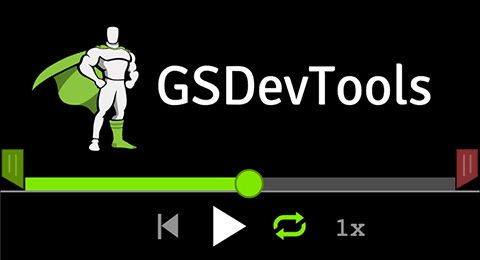</a>
|
|
|
|
<a href="https://greensock.com/gsdevtools/">GSDevTools</a> adds a visual UI for controlling your GSAP animations which can significantly boost your workflow and productivity. (<a href="https://greensock.com/club">Club GreenSock</a> membership required, not included in this repository).
|
|
|
|
### Try all bonus plugins for free on Codepen
|
|
<a href="https://codepen.io/GreenSock/full/OPqpRJ/">https://codepen.io/GreenSock/full/OPqpRJ/</a>
|
|
|
|
### Need help?
|
|
<a href="https://greensock.com/forums/">GreenSock forums</a> are an excellent resource for learning and getting your questions answered. Report any bugs there too please (it's also okay to file an issue on Github if you prefer).
|
|
|
|
### License
|
|
GreenSock's standard "no charge" license can be viewed at <a href="https://greensock.com/standard-license">http://greensock.com/standard-license</a>. <a href="https://greensock.com/club/">Club GreenSock</a> members are granted additional rights. See <a href="https://greensock.com/licensing/">http://greensock.com/licensing/</a> for details. Why doesn't GreenSock use an MIT (or similar) open source license, and why is that a **good** thing? This article explains it all: <a href="https://greensock.com/why-license/" target="_blank">http://greensock.com/why-license/</a>
|
|
|
|
Copyright (c) 2008-2019, GreenSock. All rights reserved. |